

Cyberpunk 2077’s best feature from Patch 2.3 has quietly been made available in the CD Projekt Red RPG. Despite the new update launching back in July, players have had to wait for AMD to enable the new graphical settings. Finally, however, Cyberpunk 2077 FSR 4 is now available for download.
Cyberpunk 2077 FSR 4 Is Now Available

When Cyberpunk 2077 Patch 2.3 was released on July 17, one of its biggest features was FSR 4. At the time, however, CD Projekt Red warned users that the graphical option would not be available at launch. After weeks of waiting, AMD has finally released FSR 4 in Cyberpunk 2077 through its latest GPU driver update 25.8.1.
Videos by VICE
For some reason, the feature’s release isn’t really being advertised, but eagle-eyed fans over on the cyberpunkgame subreddit uncovered the update.
“Release notes list Cyberpunk 2077 under ‘New Game Support for AMD FidelityFX™ Super Resolution 4 (FSR 4). But it does not list the game under the Fixed Issues and Improvements section, which it was listed under in the previous release notes.”
According to some users, FSR 4 might not show up in your Cyberpunk 2077 game unless you do some extra steps. Although this is annoying, it’s a pretty easy fix.
“If you go to the control panel for the game in Adrenalin, and select FSR 4.0, it will appear in-game natively,” a player who downloaded the patch reported. Early reports of the feature are that FSR 4 is a pretty big upgrade and looks really good in Cyberpunk 2077.
Given that the CD Projekt Red RPG is a big hit on portable consoles such as Steam Deck and ASUS ROG, this new graphical option could be massive for performance.
How to Unlock FSR 4 in Cyberpunk 2077
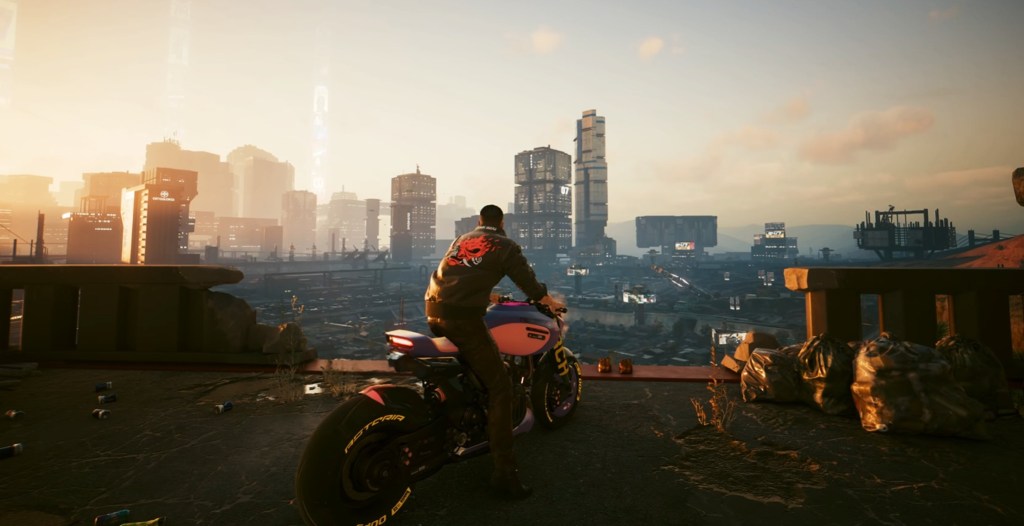
Unfortunately, the latest AMD driver isn’t the easiest to install. For some players, it’s not showing up in their program. However, Cyberpunk 2077 players looking to get FSR 4 right now can manually look up their graphics card drivers on AMD’s site. After finding your GPU, you can then force the update to download.
For your convenience, here are the steps to unlock FSR in Cyberpunk 2077:
- Step 1: Go to AMD’s Resources & Support page. Then click the Drivers page here.
- Step 2: Once you are on the Drivers page, select “Graphics” under the Browse Products tab.
- Step 3: Select your graphics card line under “Product Family” and “Product Line.”
- Step 4: Choose your specific Graphics Card under the Product Model menu.
- Step 5: Download the 25.8.1 Driver and Adrenalin updates.
- Step 6: Find the Control Panel for Cyberpunk 2077 in Adrenalin. Next, select “FSR 4.0” to enable it natively in your game.

If you’re still having trouble unlocking FSR 4, AMD should be pushing out the drivers through a software update. There are often delays between when it shows up on the site and when it appears in your GPU software. The launch of FSR 4 in Cyberpunk 2077 isn’t even being advertised yet by CD Projekt Red. So yeah, it’s still early.
It should also be pointed out that the delay of the Cyberpunk 2077 graphical mode wasn’t entirely on the Polish studio. While they wanted the option to launch with the release of Patch 2.3, they had to wait for it to be implemented by AMD. Thankfully, it seems like it was worth the delay, as the new graphical setting looks really good!
More
From VICE
-

Fool's gold, AKA pyrite (Credit: lissart via Getty Images) -

Anadolu/Contributor/Getty Images -

Elon Musk, but as a robot dog (Credit: Beeple Studios) -

(Photo by Maddie Meyer/Getty Images)
